Things pong does
The browser
A real browser on your own computer: it gets into sites, keeps your sign-ins, and you can watch it live.
When a job needs a page and not a search result, pong opens a real browser on your computer and does it: sets the dates, opens the options, fills the form, builds the cart, gets to the total. You can watch every step and take the wheel at any time.
 pong
pongToday 2:14 PM

Why it gets in where other agents get blocked#
A lot of sites turn away bots and AI agents: you get a wall of CAPTCHAs, an "access denied", or a page that never loads. pong's browser usually gets through, because it isn't a scraper on a shared datacenter address. It's a real browser that belongs to you.
| pong | Many hosted agent browsers | |
|---|---|---|
| Where it runs | Your own computer, one browser profile that's only yours | A fresh shared browser for each task |
| Sign-ins | Cookies and sessions stay between jobs, so you usually log in once | Logged out every time |
| Passwords | Filled from your encrypted vault, never seen in the chat | Often pasted into the chat |
| Connection | A residential connection in your country | Datacenter addresses that sites recognise |
| CAPTCHAs and pop-ups | Handles the common ones and keeps going | Often stops and hands back |
| Watching | Live view on your dashboard, and you can take over | Screenshots after the fact, if any |
Watch it live#
Open browser on your dashboard to see exactly what pong is looking at, as it happens. When several workers are browsing at once, each one has its own seat and you can switch between them. On your phone, trypong.app/live/1 opens the same live view full screen after you sign in.
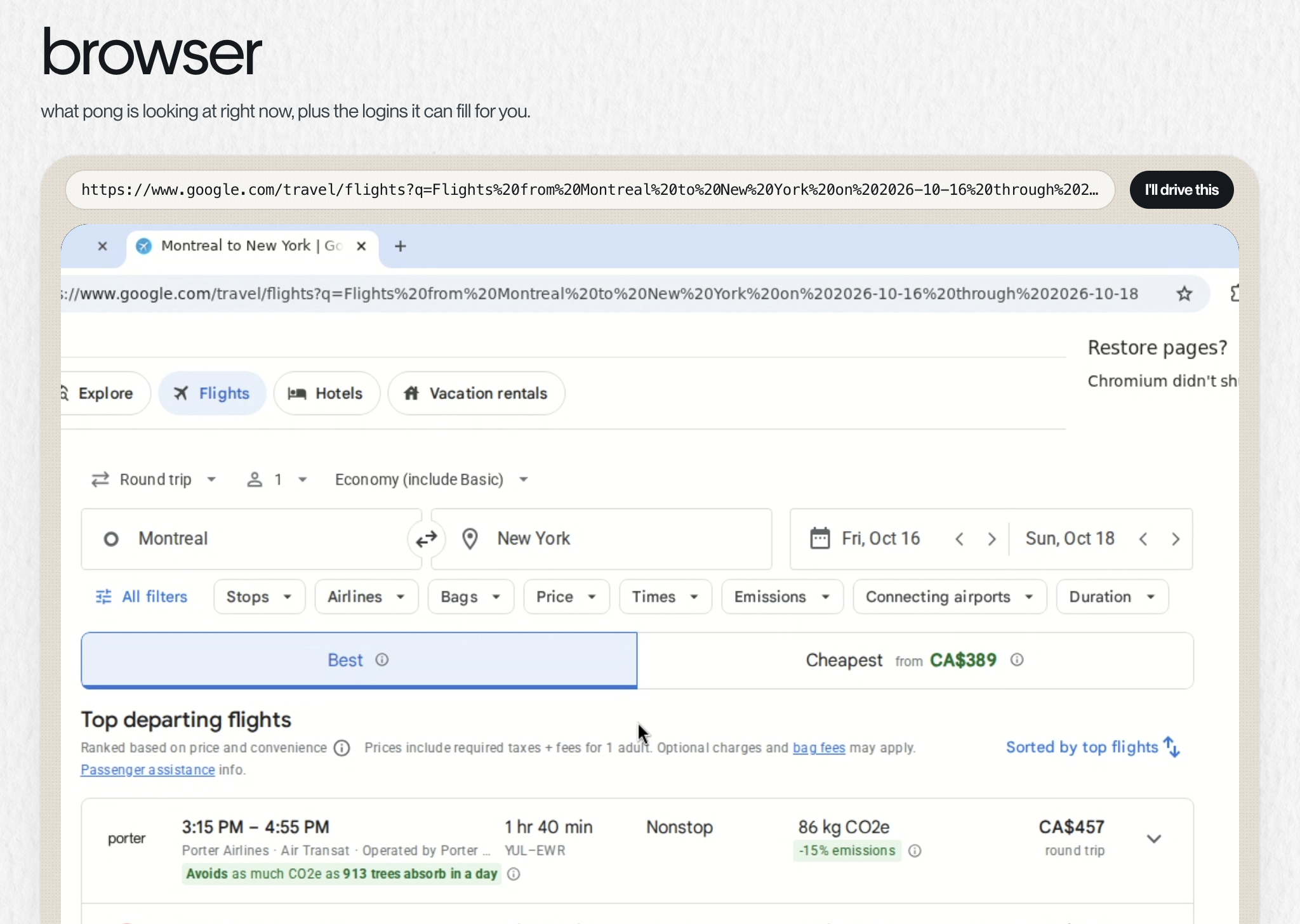
Take the wheel
Tap I'll drive this and the page is yours: click, type and scroll right in the dashboard. pong waits and doesn't touch the page. Tap Back to pong and it picks up from whatever is on screen now. A payment page is the exception: when pong is paying, the live view is hidden and that page can't be taken over.
Signing in#
When a site needs your account, pong uses a login from your vault. If it doesn't have one, it texts you a single-use link where you type it in yourself. The password never appears in the chat. If the site offers "continue with Google", pong asks once whether to use that instead. Verification codes that land in your email are found and typed by pong; codes from an authenticator app, or a "tap yes on your phone" prompt, are yours.
What it's good at#
| Job | Where pong looks |
|---|---|
| Flights | Google Flights, Kayak and Skyscanner, at the same time |
| Places to stay | Booking.com and Google Hotels, plus Airbnb when you want a whole place |
| Things to buy | The retail catalog (many stores at once), plus the store you named, else Amazon. See Shopping |
| A table | The restaurant's own booking page, else Resy or OpenTable |
| Movies | Showtimes and seats on the cinema's own site (Cineplex in Canada) |
| Forms and accounts | The site itself, signed in as you |
| How do I… | A real video or the official how-to, with one line on why that one |
| Anything else | The two or three sites a local would check |
What you get back#
- The pick and why, in one line.
- Every real contender, numbered best first, each with the details that decide it, its link, and a screenshot of the page.
- Options that miss what you asked for are left out, with one line saying so.
- Anything bigger than a text, like a full table of prices, goes into a file on your computer. You can download it from the dashboard.
Where it stops#
pong gets all the way to the total or the final confirm, then asks. Booking, buying and submitting happen on your yes. Paying for things itself is part of Pong Cash, which is coming soon. Until then pong takes you to the checkout with everything filled in and hands back the total.
Something missing or wrong? Tell pong, or email founders@vira-labs.com.