Your computer
Developer console
Your secret key, running pong on your ChatGPT plan or your own model, and env keys for your tools.
The developers page on your dashboard (menu → developers) holds the settings for building with pong: the key your programs use, which model pong runs on, and secrets for the tools pong runs for you.
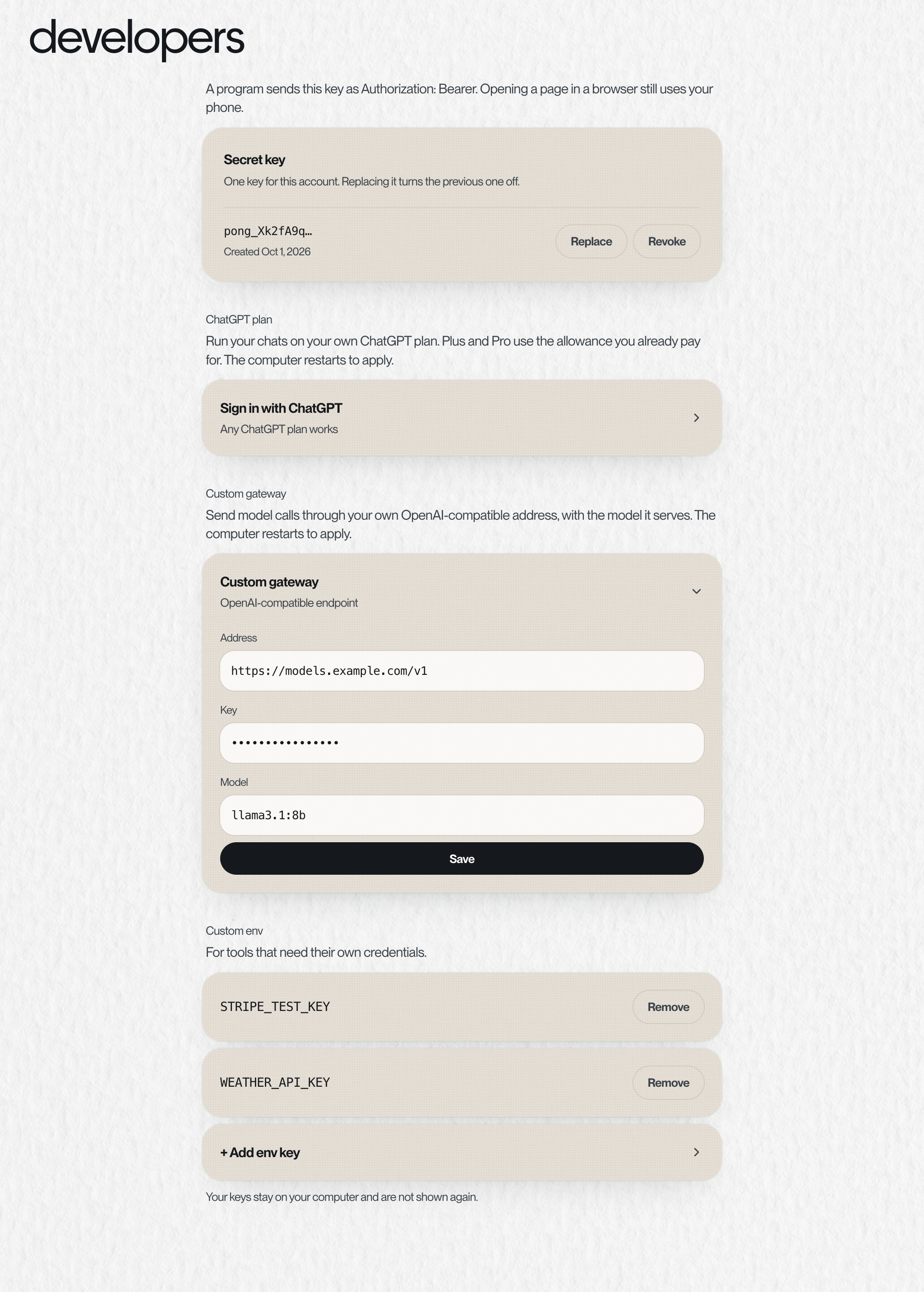
Secret key#
- One key per account. It starts with
pong_and is shown once, so copy it when you create it. - Programs send it as
Authorization: Bearer <key>to your published link. A person opening the link in a browser still signs in with their phone. - Replace makes a new key and turns the old one off. Revoke turns it off with no replacement.
Run pong on your ChatGPT plan#
- 1
Start
Tap Sign in with ChatGPT. A code appears.
- 2
Approve at OpenAI
Open the OpenAI page, sign in and enter the code. OpenAI will say you're signing in to the Codex CLI. That's expected: pong signs in the same way. Only continue if you just started this and the code matches.
- 3
If OpenAI asks you to enable device code sign-in
Turn it on in ChatGPT settings → Security, then tap New code.
- 4
Pick a model
Once connected, choose GPT-6 Astra (the default), GPT-6.1 Sol, GPT-6 Sol or GPT-6 Luna. Plus and Pro use the allowance you already pay for.
Custom gateway: your own model#
Point pong at any OpenAI-compatible endpoint: OpenRouter, a LiteLLM proxy, vLLM, LM Studio, Ollama, or your own server. Fill in three things: the Address, the Key, and the Model your endpoint serves.
- The address must be
https://and is usually the base that ends in/v1. - Model is the exact name your endpoint expects in the
modelfield, likellama3.1:8bon Ollama,meta-llama/Llama-3.1-70B-Instructon vLLM, oranthropic/claude-sonnet-4.5on OpenRouter. pong sends that name on every call. - The model needs tool calling (function calling) and a generous context window. pong is an agent, not a chatbot, and leans on both.
- A model on your laptop isn't reachable as
localhost. Expose it on a public HTTPS address first, for example with a tunnel. - If both a ChatGPT sign-in and a gateway are set, the ChatGPT sign-in wins.
curl https://your-endpoint.example.com/v1/chat/completions \
  -H "Authorization: Bearer $KEY" -H "Content-Type: application/json" \
  -d '{"model":"llama3.1:8b","messages":[{"role":"user","content":"hi"}]}'
Custom env#
Keys for the tools pong runs on your computer: an API token for a service your script calls, say. Add a name and a value; commands pong runs get them as environment variables. Values stay on your computer and are never shown again.
- Names
- Capital letters, digits and underscores, starting with a letter. Like
STRIPE_TEST_KEY - Reserved
- Names pong uses itself, like anything starting with
PONG_orOPENAI_. The page tells you if a name is taken - How many
- Up to 20 keys, each value up to 400 characters
Something missing or wrong? Tell pong, or email founders@vira-labs.com.